Part 1 - Let's Start! - Iterations in Objectives

I want to teach you some modding, firstly how to do simple changes in mods to adjust them to your needs. And first thing I could think of were objectives in aspirations, where there is a number of iterations - how many times a Sim needs to repeat the action to complete the task.
We all play differently, some play with long lifespan and some with the very short one. I play with the long one and I am aware that can affect how challenging my aspirations could be. So how about you could customize some aspects to your needs?
Before we start
Section titled “Before we start”If you are new to modding - I recommend to make backup of your Save folder before entering game after changing the mods (and I recommend it also when you put a new mod in your game, to make sure, that even if something crashes, you won’t lose your game progress).
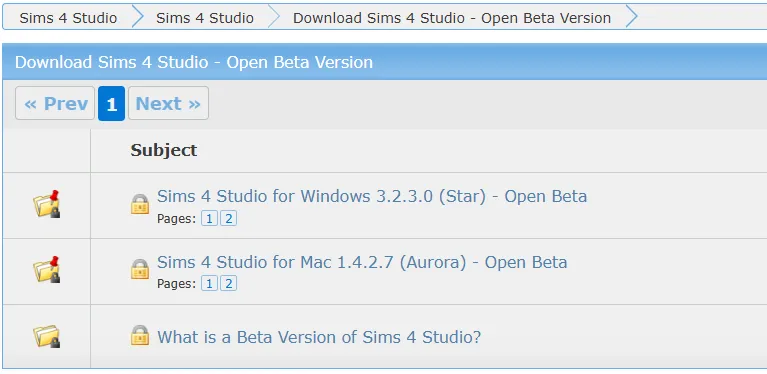
Prerequisites - Install Sims4Studio (known as S4S; to open the file and be able to modify it). You can download it from here. Install the one for your operation system - Star for Windows and Aurora for Mac.
How to change the number of iterations needed to complete a task in aspiration?
Section titled “How to change the number of iterations needed to complete a task in aspiration?”-
Open the mod
Section titled “Open the mod”Once the Sims4Studio is installed, you’ll be able to open with it a mod that you wish to modify. Go to the Mods folder and open a mod.
Let’s practice on my My Own Business Aspiration.
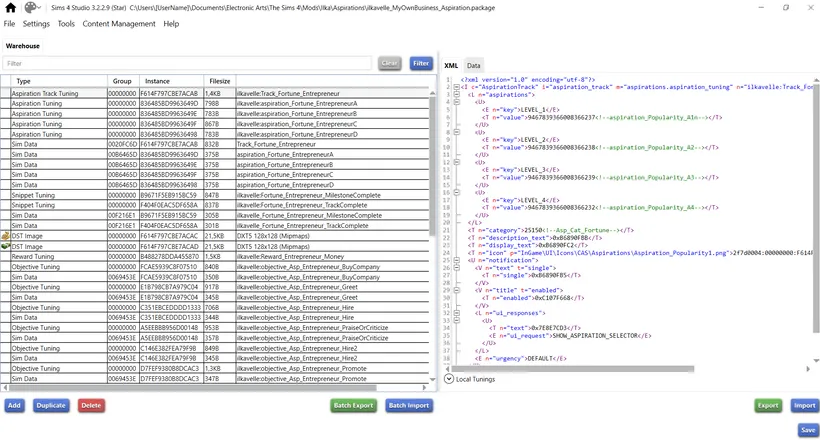
This is the view after opening a mod in S4S:
-
Look for Objective Tuning files
Section titled “Look for Objective Tuning files”Look for them on the left side (I am not sure how the photo above is readable so below the larger fragment with Objective Tuning marked):

Each objective tuning is responsible for a task within aspiration. You can see the name of it, the one that is highlighted is named
ilkavelle:objective_Asp_Entrepreneur_Hire- so this is the objective to “Hire New Employee”. It’s quite recognizable, you can guess which task it is about. But files are not always named in a comprehensible way, unfortunately. I must admit, when I was starting modding, I wasn’t naming them very well :( Now I try to be more organized with it, so it’s definitely easier to search for files within my newer mods. -
Click the Objective Tuning you want to modify
Section titled “Click the Objective Tuning you want to modify”…and look at the right side of the S4S. I clicked the Objective Tuning named:
ilkavelle:objective_Asp_Entrepreneur_PraiseOrCriticize
And this is what opened for me on the right side:
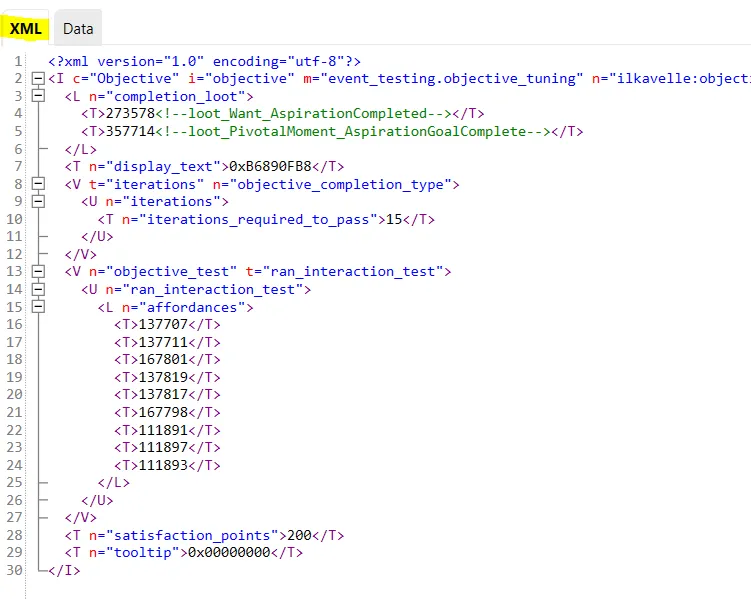
Make sure you see the content of XML Tab (marked with yellow above).
Now you see how this objective is constructed.
-
Change the number of iterations
Section titled “Change the number of iterations”Look for this fragment of code -
iterations_required_to_pass, we can see number 15 next to it: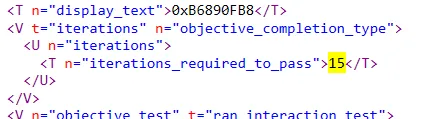
This means (in this objective) that Sim must “Praise or Criticize an Employee” 15 times. You can change this number :) But be careful not to remove any other sign ;) Just change the number. For the training purposes I am changing it to 8.
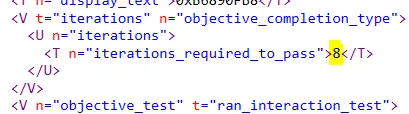
-
Save the file
Section titled “Save the file”Click on the Save button in the bottom right corner:

You should see the notification saying that .package file was saved. Now you can close the mod.
-
Open the game and check the changes
Section titled “Open the game and check the changes”As you can see, the change is now visible in the game - 8 actions are here now required. (I had to cheat to quickly see this change as my Sim didn’t have this aspiration ;) )
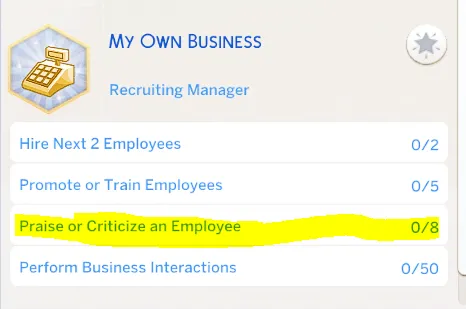
Good news is, if you mess something up (e.g. by mistake delete something in the mod etc.), you can simply delete the mod and download it again ;)
Final note
Section titled “Final note”-
What I showed you here will work only for objectives where there is specified number of iterations for the given action. But there are other objectives: for skill progression, or career progression, or having a certain buff or mood etc. For these objectives there is usually no iteration aspect, but other parameters. You can of course check it by yourself and try to play with these other parameters on your own. As I mentioned, if you mess up, you can always redownload the mod :D
-
Career objectives work the same way, so you can alter them in the same way as shown here.
-
The fact that you changed the number of iterations will not automatically mean that the text also changed. In the example above the number of iterations was not specified in the task text, it was simply “Praise or Criticize an Employee”. But sometimes it is specified and then it will stay unchanged until you change also the text. But this topic is not for today :)
Did you find it useful? Was it comprehensible? Do you want me to make some other instructions like this? Please let me know your thoughts :)
Back to the index On to Part 2
Originally posted on ilkavelle’s Patreon as part of the Mod It Yourself series, where you can ask questions in the comments.