Part 18 - Reward Tuning (Types)
As I mentioned in the previous tutorial, you can define various things as rewards. Also you can define if the reward is always the same or if it changes randomly. And this is the topic I’ll start with today.
Specific reward
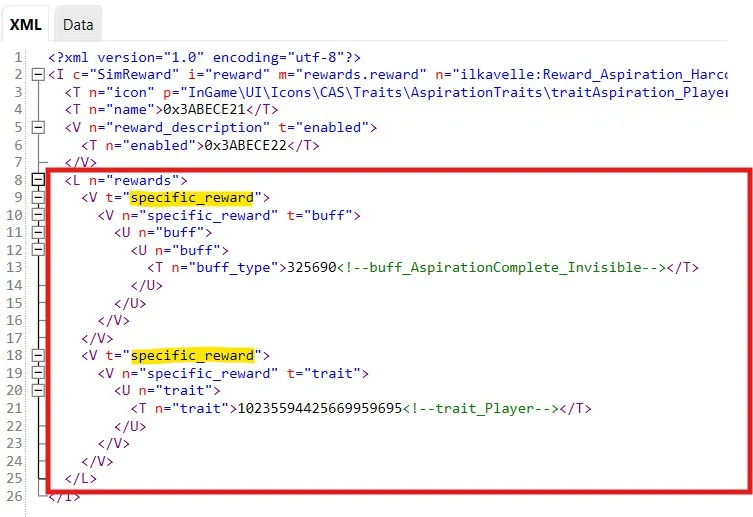
Section titled “Specific reward”You can specify many specific rewards. If you do, Sim will get everything upon completing an aspiration. So looking at the below example, a Sim will get both, the buff and the trait.
Random reward
Section titled “Random reward”But you can also specify that a Sim gets a random reward. I did that in one of my aspiration - Ultimate Stan. As a reward you can get there actually 1 out of 2 traits, and in the code it looks like this:
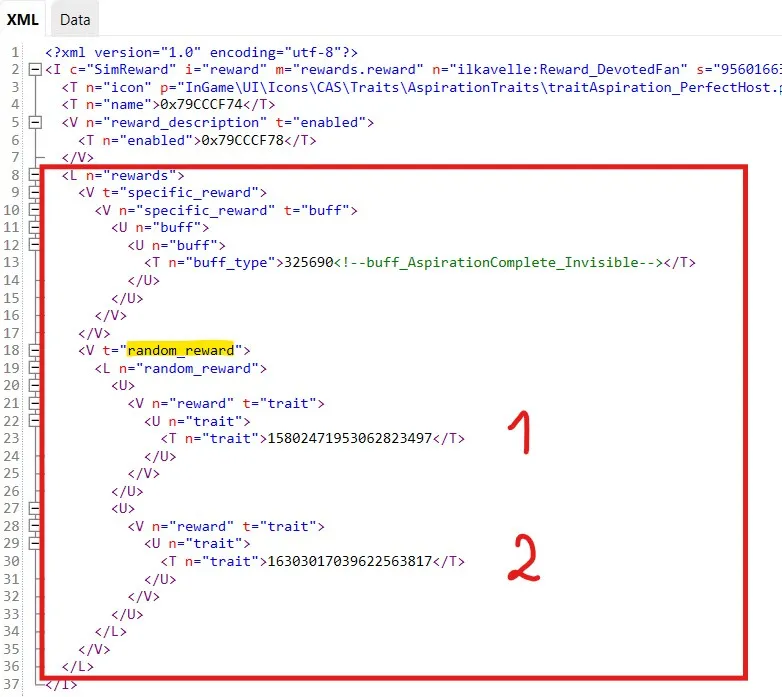
The reward is random here. You don’t know which trait a Sim will get in the end. You can do such random reward for other things too, like reward BB objects or CAS.
Types of Rewards
Section titled “Types of Rewards”Now I’ll show shortly few types of the rewards.
Buff and Trait
Section titled “Buff and Trait”Looking again at the first pic from today’s tutorial, here’s the most common example for aspirations:
- Buff, the one we can see in the picture, is a buff that a Sim always receives when completing an aspiration (this buff is actually used for one of the scenarios to complete).
- Trait
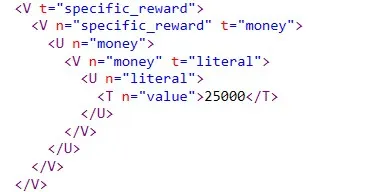
You can set up simply amount of money that you Sim receives :D This is especially used in careers.
Objects
Section titled “Objects”Also often used in careers. You need to provide specific TuningId of the object that will be rewarded.

Points
Section titled “Points”You can define as a reward all various types of points - I mean here: satisfaction points, club points, store points, vet points, vampire powers points, fame points etc. Below few examples:
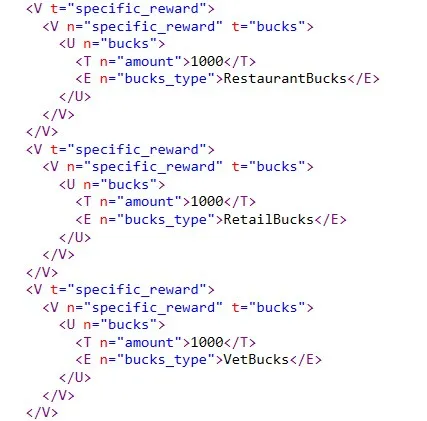
I think this is all I wanted to show you regarding Reward tuning :)
We are now almost at the end ;) See you at the next tutorial ;)
Back to Part 17 Back to the index On to Part 19
Originally posted on ilkavelle’s Patreon as part of her Simsmas Modvent Calendar, and collected in the Mod It Yourself series, where you can ask questions in the comments.